
Fab's AutoBackup Pro - 1 year images
Fab's AutoBackup Pro - 1 year
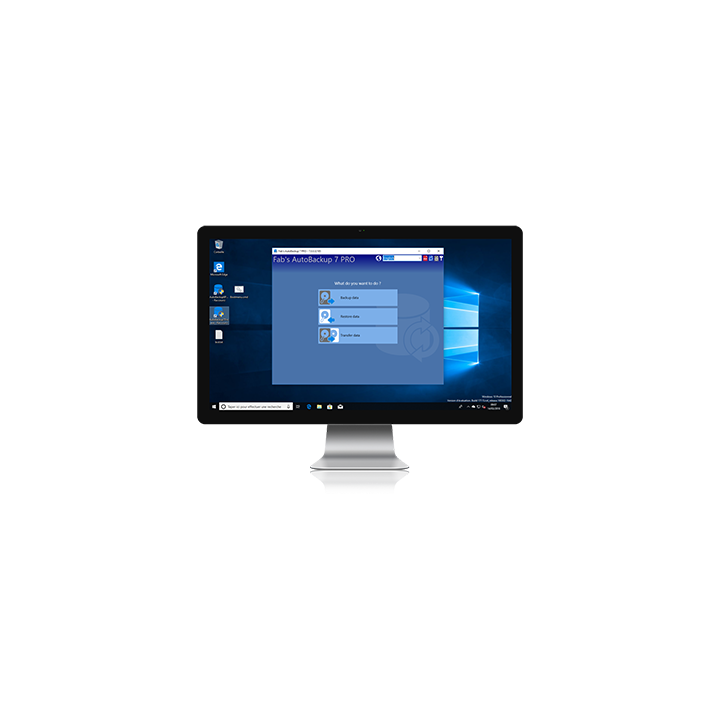
The professional's choice for IT technicians and power users. Fab's AutoBackup 7 Pro backs up, restores or transfers Windows data across multiple user profiles at once — even from an unbootable drive. Ideal for PC repair shops, system migrations and corporate deployments. Compatible Windows XP to 11.
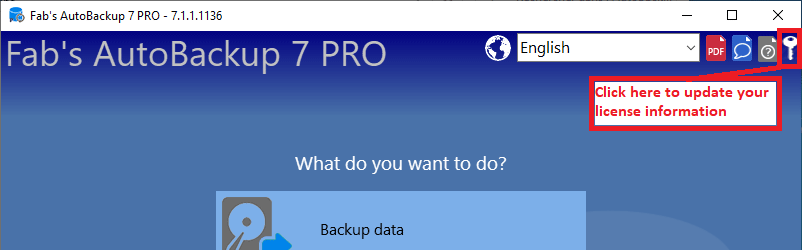
After that, the software keeps working normally — a new license is only needed if you wish to receive updates or download it again. As soon as you have purchased your new license, simply update your information in the software using the key icon in the top right corner. A 3-year option is also available.
✔ Trusted by tens of thousands of users worldwide
✔ Over 15 years of commercial experience — first released in 2005
✔ Compatible with Windows XP, Vista, 7, 8, 10 and 11
✔ 1 year of updates and downloads included
✔ Unlimited computers and technicians — one license covers your whole team
✔ Secure payment
Pro exclusive features
 Multiple user profiles at once — Back up, restore or transfer all user accounts in a single operation, no need to log in to each account separately
 Any hard drive, including unbootable ones — Recover data from a PC that won't start by connecting its drive externally
 Direct disk-to-disk transfer — Move all user data from the old drive to the new PC in one go, with the ability to create user accounts on the fly
 VSS snapshots on source drives — Copy files locked by other processes without interruption
What can be backed up and restored?
 Personal folders — Desktop, Documents, Pictures, Music, Videos, Downloads, Wallpaper, Fonts
 Web browsers — Firefox, Chrome, Edge, Opera, Brave, Vivaldi, Chromium and 10+ more
 Mail — Outlook, Thunderbird, Windows Live Mail, eM Client, Mailbird and more
 Microsoft Office — Templates, custom dictionaries, recent files (Word, Excel, PowerPoint, Access...)
 Cloud services — OneDrive, Dropbox, Google Drive, iCloud local files
 Passwords & security — SafeInCloud, stored Wi-Fi keys, BitLocker, Windows credentials
 And much more — VPN settings, accessibility tools, sticky notes, printers, drivers, user-defined files and folders
-
ReferencePRO1
Comments (1)
Your review appreciation cannot be sent
Report comment
Report sent
Your report cannot be sent